
How I designed a run club brand with Envato, Photoshop, and Illustrator
From a simple logo to a full run club identity, see how AI tools, Illustrator, and Photoshop came together to build a brand system full of movement, warmth, and community.
Envato: Get every type of asset for any type of project, and a full stack of AI tools. Start now
Want to push your design skills further? You’re in the right place.
Whether you’re a graphic designer, brand builder, illustrator, UI/UX designer, motion artist, content creator, or simply someone who loves making things look good, this is your hub for improving your craft. Explore everything from AI design tools and logo creation to color theory, packaging design, illustration, 3D workflows, typography, branding deep dives, and the visual trends shaping the industry. If you’re hunting for a perfect font pairing or curious about what’s next in digital design, we’ve got you.
We cover practical Figma tutorials, Photoshop tutorials, Illustrator tutorials, InDesign tutorials, Canva tutorials, Affinity tutorials, Procreate tutorials, and other tools that appear in real-world workflows. You’ll also find creative styles, portfolio ideas, and plenty of inspiration from layouts, visuals, and design culture that influence the work creatives make today.
We keep you updated on product news, new AI tools in the Envato ecosystem, and comparison guides to help you choose the right software. You’ll learn AI prompting techniques, how to fix common design issues, create logos and posters with AI, master 3D icons, and speed up your workflow with templates, mockups, add-ons, graphics, photos, fonts, animated assets, and more.
Think of this category as your design-savvy friend, always up to date, always curious, and always ready to share something genuinely useful. Everything here is designed to help you create better work, faster.
From a simple logo to a full run club identity, see how AI tools, Illustrator, and Photoshop came together to build a brand system full of movement, warmth, and community.

From soft 3D to hyper-minimal, icon design in 2026 is bolder, smarter, and more expressive. Explore the trends shaping UX, branding, and how AI is redefining tiny-but-mighty design.
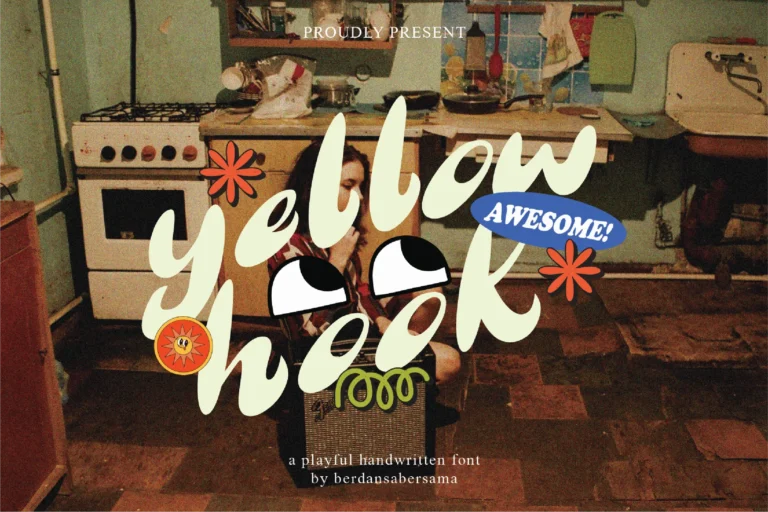
Cute and cozy fonts, the latest 2026 type trend.

Curious about what’s next in email? Explore the top email marketing trends for 2026, from AI personalization to interactive designs you can’t ignore.

Pinterest's 2026 trend forecast just landed. 21 predictions, 88% accuracy, and cabbage is somehow involved.

ImageGen runs on Flux.2, Flux.2 (max), Seedream 4.5, Nano Banana, Nano Banana Pro, gpt-image-1, and gpt-image-1-mini. An ever-expanding stack that integrates the latest advances in image generation.

A guide to using Nano Banana Pro AI features in ImageGen and ImageEdit.
Top-tier gen AI models. Commercial use. Ever-evolving tools.

Create unique visuals in diverse styles with simple text prompts.

Make your own music with text prompts and presets.

Remove backgrounds, erase objects & upscale effortlessly.

Generate videos from static images and text prompts.

VoiceGen, GraphicsGen, SoundGen and more coming soon.
![FLUX.2 [max] is now powering ImageEdit](https://envato2.coolkeypoint.com/learn/wp-content/uploads/2025/12/Flux_2_a-768x443.png)
FLUX.2 [max] is now live inside ImageEdit, bringing maximum prompt accuracy, cinematic image quality, and ultra-stable editing. No settings, no switches; just better results for professional creative work.

OpenAI’s GPT Image 1.5 is now working behind the scenes in ImageGen. With stronger lighting, cleaner text, and more reliable edits, your images are now more realistic and publish-ready, without changing how you work.

Master AI visuals with Envato ImageGen styles for stunning results.

The designs and visuals you make most are now way easier to create.

Discover 10 photography trends transforming how creators shoot in 2026, from AI editing and cinematic style to candid realism, mobile framing, and more.

Seedream 4.5 is now powering ImageGen, delivering sharper identity preservation, richer cinematic aesthetics, and more accurate prompt handling.

Angles redefines what it means to edit in ImageEdit, turning every static image into a flexible, living composition ready to meet your creative vision.
Envato Unpacked 2025 reveals the prompts, assets, and creative trends that defined the year. From monkey interviews to cinematic fonts, here’s what creators made — and what it says about the future of creativity.
Design software (such as Figma, Photoshop, or Illustrator), and generative AI tools (such as GraphicsGen, ImageGen, ImageEdit, and MockupGen), high-quality templates, fonts, color palettes, and a comprehensive library of graphics and mockups. Envato’s got all of that in one place — plus tutorials to help you actually use them.
Envato’s AI suite has you covered: ImageGen for creating custom photos and graphics, GraphicsGen for designing icons and illustrations, and MockupGen for generating product mockups. With all of these tools, you can generate what you need in seconds, then drop it straight into your project — no juggling multiple tools or paying for different subscriptions.
Right here on Envato. You’ll find thousands of ready-to-use templates, mockups, fonts, and graphics alongside a full stack of AI tools as part of the Envato subscription, plus tutorials and trend articles to keep your skills sharp and your work fresh on our blog and YouTube channel.
If you’re new to design, check out Canva – a drag-and-drop browser-based tool that doesn’t require any prior design training or knowledge. For those wanting to learn professional design software, Figma is popular for interface design, while software such as Photoshop (or Canva’s free alternative, Affinity) is preferred for image editing. We cover all of them here, with tutorials that skip the jargon and get straight to what you need to know.
The usual suspects: Photoshop, Illustrator, Figma, InDesign, Procreate, Affinity (which Canva recently made free), Sketch, and Canva. But there are also 3D tools, such as Blender and Spline, as well as Hana, a new canvas for interactive design by Spline. We cover the full toolkit, not just the classics.
Discover ideas faster with ‘Browse by category’ on the Envato blog. Jump straight into the topics that matter most to your work: Design, Video & Filmmaking, Music & Audio, What’s New on Envato, or AI & Creativity. Explore curated articles, tutorials, and trend insights tailored to each discipline. Whether you’re sharpening your skills, testing new tools, or streamlining your process, each category is designed to help you optimize your creative workflow with Envato and move from idea to execution more efficiently.
